Bring your assessment plans, Ecordia messages and even feedback to life by using the Image, Document and Media Manager tools on Ecordia. It’s so easy to do.
To add any images, documents and media you want to use, simply e-mail the files to Ecordia Support (support@ecordia.co.uk) and our Support Team will add them to your centre's account. Once uploaded, centre users can access these using the tools on the toolbar when creating assessment plans, Ecordia messages and assessment feedback – in fact you can insert the images, documents and media on any page you can see these options in the toolbar.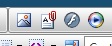
Once you select an image or media file, you can set the properties so that it looks how you require, for example, to fit a space on the page.
The document manager will allow you to create links to documents in your text, a quick and convenient way to share resources and learning materials in addition to those already available through your Resources tab.
Was this article helpful?
That’s Great!
Thank you for your feedback
Sorry! We couldn't be helpful
Thank you for your feedback
Feedback sent
We appreciate your effort and will try to fix the article