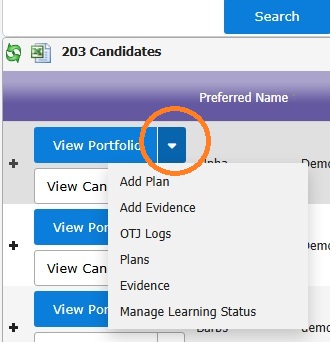
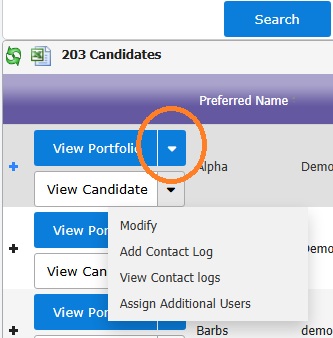
When viewing candidate search results (or chart data from your dashboard), you can shortcut to different areas of a portfolio or candidate by clicking on the blade to the right of each button:
The options available to you will depend on the portfolio status, your role and/or relationship, course and centre settings.
Was this article helpful?
That’s Great!
Thank you for your feedback
Sorry! We couldn't be helpful
Thank you for your feedback
Feedback sent
We appreciate your effort and will try to fix the article