Updating an Online Workbook
1. Go to More/Course Admin/Learning Aims, and select the aim the workbook relates to
2. Click 'Manage Online Workbook'
3. Click Select the Workbook
4. Click 'View Edit Questions'
5. Click 'Modify' in the top right
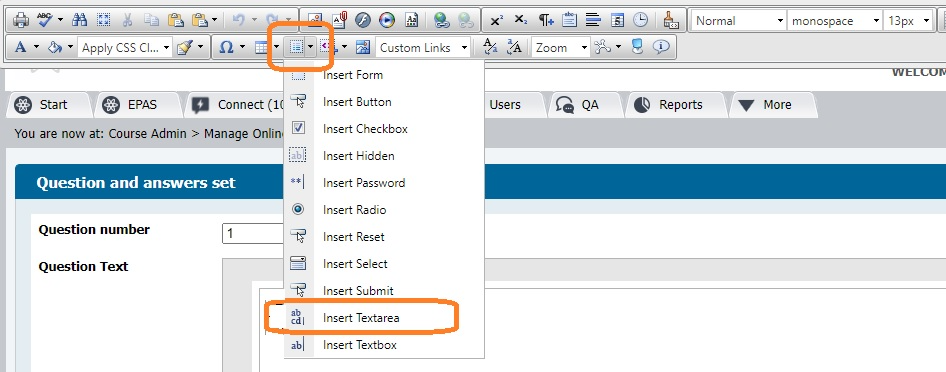
6. Edit the content and/or use the 'Form elements' tool in the toolbar to add text areas, which is were the candidate will enter their answers when the form appears in their portfolio.
7. Click 'Save Question'
Was this article helpful?
That’s Great!
Thank you for your feedback
Sorry! We couldn't be helpful
Thank you for your feedback
Feedback sent
We appreciate your effort and will try to fix the article