1. Go to More/Course Admin/Learning Aims, and select the aim the workbook relates to
2. Click 'Manage Online Workbook'
3. Click 'Manage Online Workbooks' and enter a Workbook Name
4. Click 'View Edit Questions'
5. Click 'Add New Question'
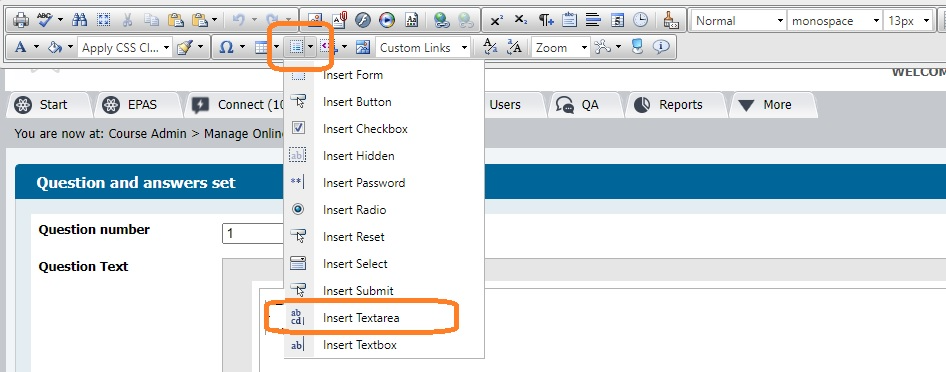
6. Copy all pages of your workbook into the space provided, and use the 'Form elements' tool in the toolbar to add text areas, which is were the candidate will enter their answers when the form appears in their portfolio
7. Click 'Save Question'
To add a workbook to a portfolio or work template:
- Click 'Add Evidence Type' on a plan or on the Evidence screen
- Select the 'Online Workbook' evidence type on the right, then select the required workbook on the left and click 'Add Online Workbook'
- Click 'Save'.
Once the evidence status is 'Empty' the candidate will be able to click 'Prepare' to complete the workbook.
Was this article helpful?
That’s Great!
Thank you for your feedback
Sorry! We couldn't be helpful
Thank you for your feedback
Feedback sent
We appreciate your effort and will try to fix the article