Expert Witness
The Expert Witness Role can be added to users with the Mentor Role , and allows the user to link evidence when adding a comment to evidence.
The links the user adds to the portfolio can then be used or amended by the assessor during assessment.
All other functionality is dependent on the other roles the user has, but an Expert Witness role can only be added to a user with the Mentor Role.
Witness Signatures
If you want someone to witness evidence but it is not practical for them to have an Ecordia account, you can use the 'Add new Witness Signature' feature on the evidence, although this can be used by any user with access to the portfolio too:
- Go to the evidence and click 'Add new Witness Signature'
- Pass your device to the witness for them to complete the onscreen fields, and click 'Submit'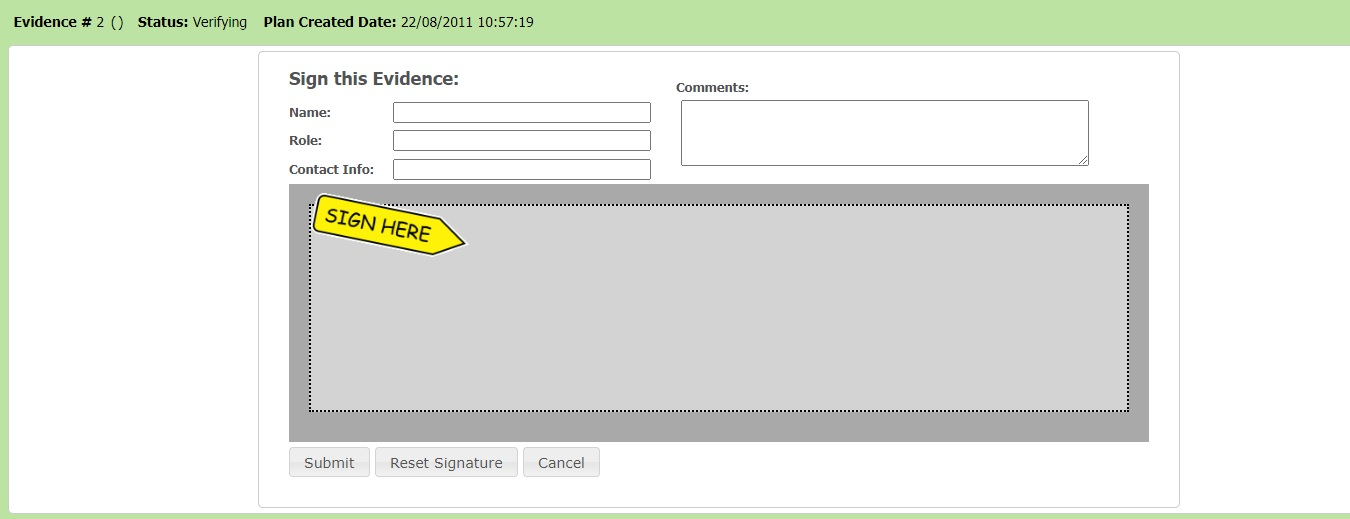 - Their signature and details will now be displayed on the evidence page.- To remove a signature, the Primary Assessor, IQA/Internal Verifier, or a Quality Assurance Co-coordinator at your Centre who can click the bin icon to remove the signature.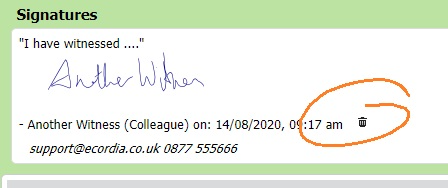
Was this article helpful?
That’s Great!
Thank you for your feedback
Sorry! We couldn't be helpful
Thank you for your feedback
Feedback sent
We appreciate your effort and will try to fix the article