If there is one or more learning aims/qualifications in a portfolio, they will be listed on the Portfolio Front Page.
The progress of each aim is displayed in the bar, and the bar will turn green as you progress towards 100% complete.
Click on the plus (+) to expand the section and view the units/modules:
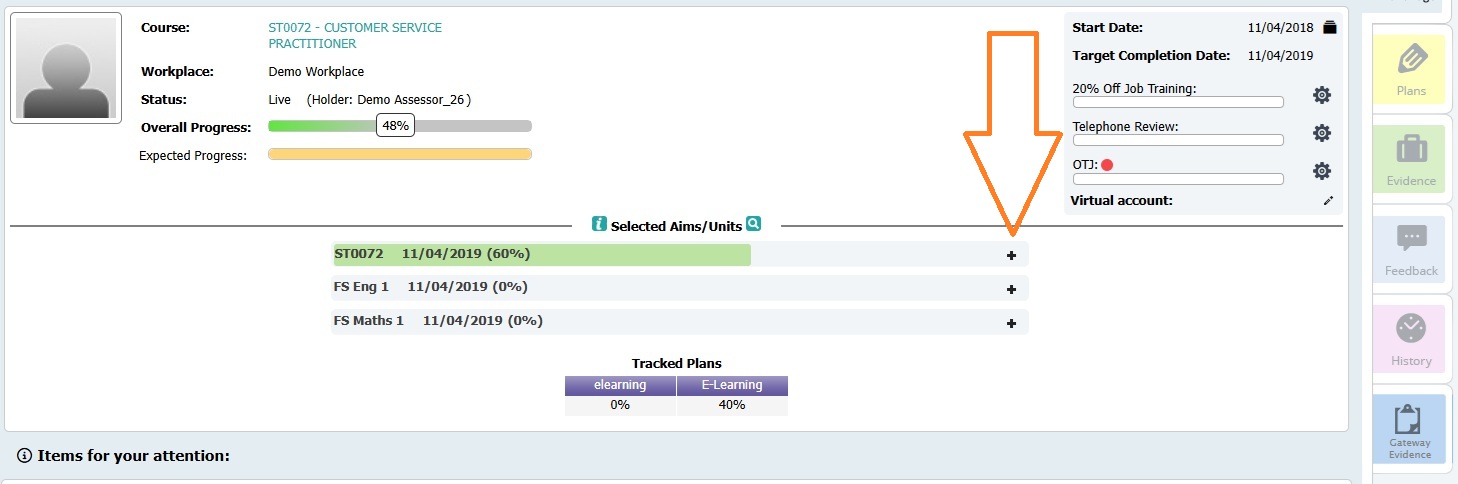
Each unit in the learning aim will now be displayed. The progress of each unit is displayed in the bar, and the bar will turn green as you progress towards 100% complete.
Click on the plus (+) to expand the unit and view the standards/learning outcomes:
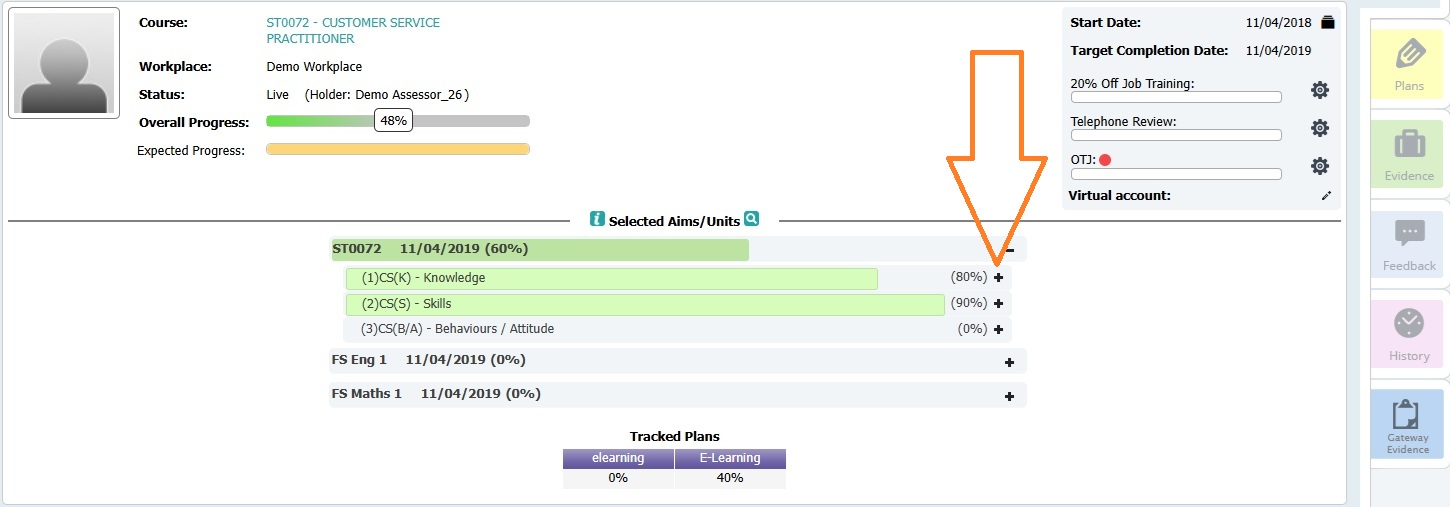
The learning outcomes will the be displayed.
Click on the plus (+) to expand the learning outcome and view the assessment criteria:
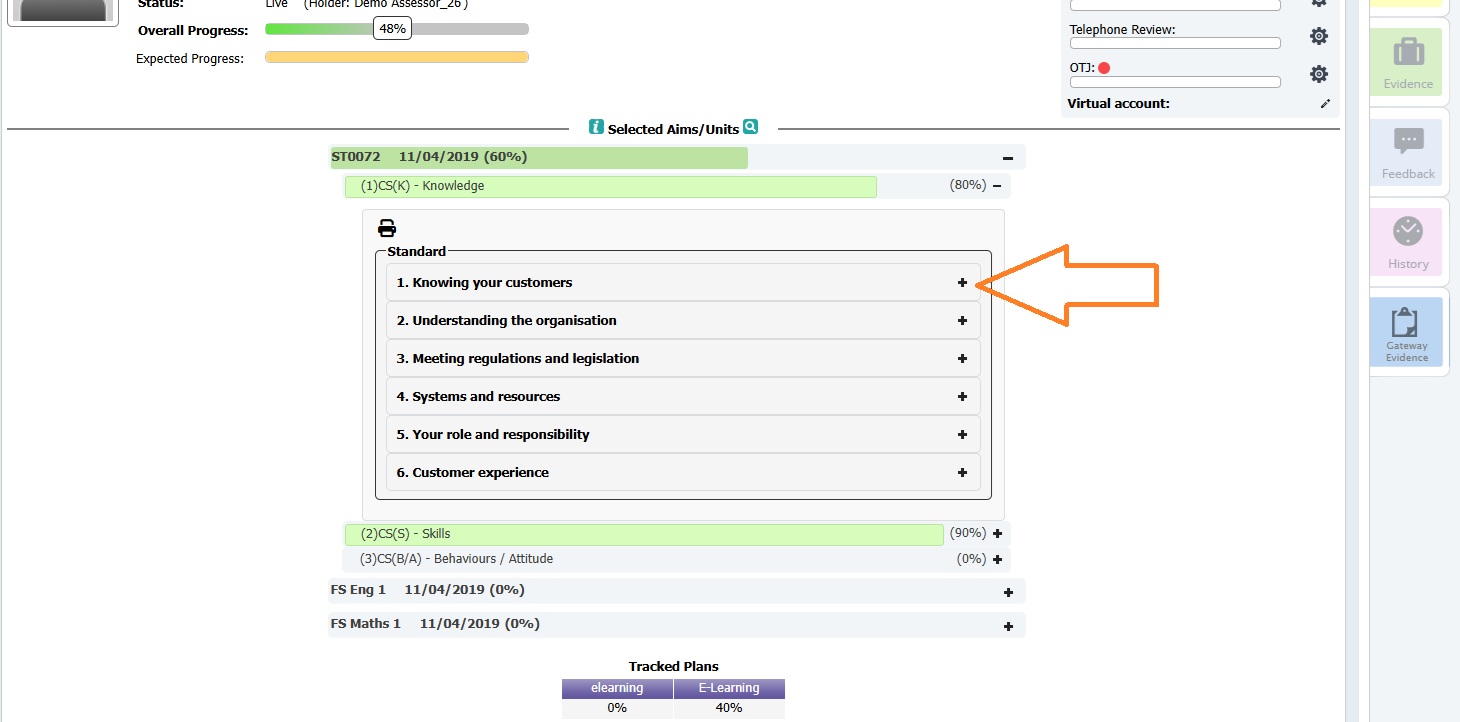
To the right of each assessment criteria will be a tile for each item of evidence that is linked to the unit:
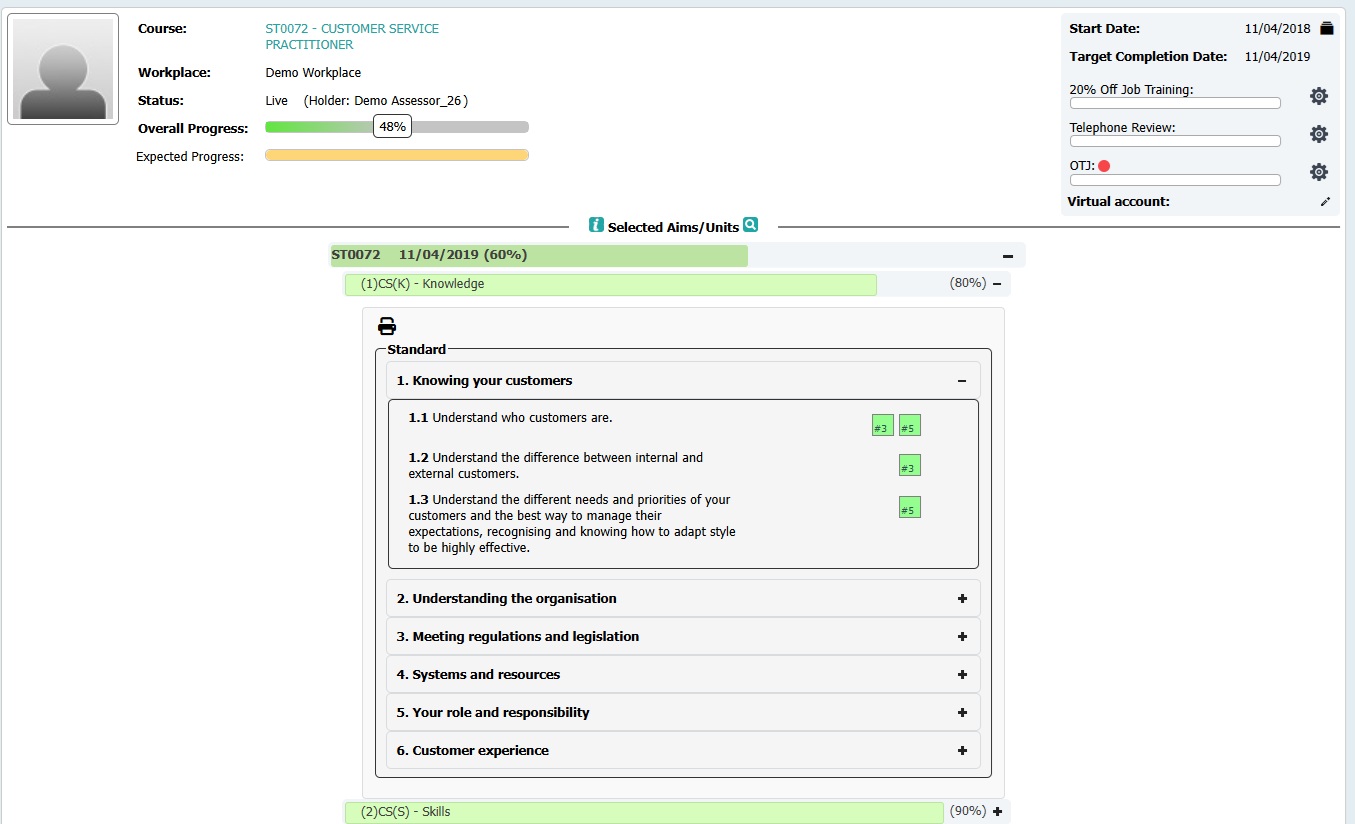
Each tile will contain the evidence number. Click on the tile to navigate to the evidence.
The following colour code is used:
White (without a number) - no evidence is currently linked the criteria
White with a number - evidence is linked to the criteria, but is empty
Amber - Evidence is being prepared
Green - Evidence is at assessment complete, and no action is required
Red - Action required, click on the tile to read the feedback
Blue - Being assessed or verified
Was this article helpful?
That’s Great!
Thank you for your feedback
Sorry! We couldn't be helpful
Thank you for your feedback
Feedback sent
We appreciate your effort and will try to fix the article