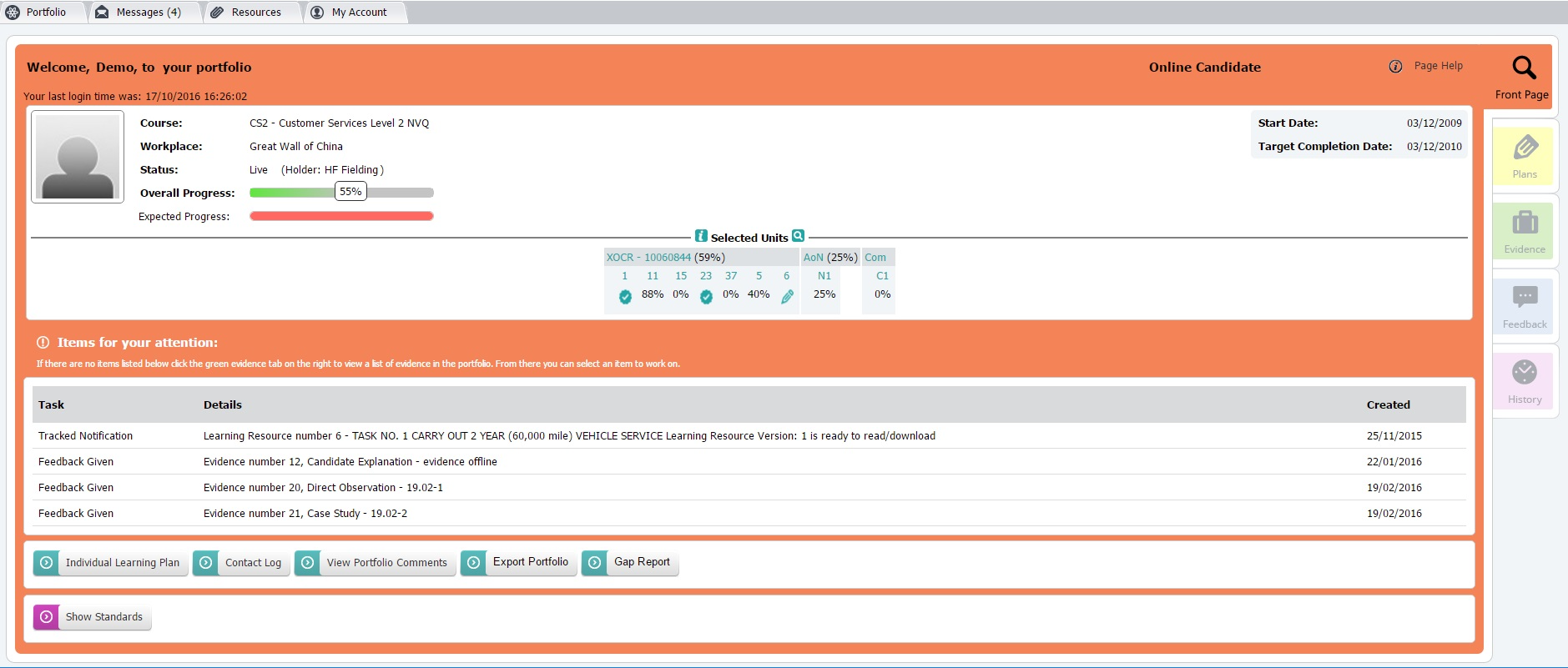
1. Portfolio Front Page
Course: This is the course you are currently working on.
Workplace: This can be used by your centre to display your workplace, or tutor group etc.
Status: This is the portfolio status . 'Live' means currently active.
Selected Units : All the units you need to complete for your course.
Overall Progress: This shows how many of the Standards for your course have been covered at least once and judged competent. Your assessor will inform you when you have sufficiently covered the NOS, at which point you will be asked to complete a Unit Summary Sheet which will complete the unit ready for Internal Verification.
Expected Progress: If displayed, this shows your expected progress based on your time in training. Expected progress will adjust accordingly for any breaks in learning that are more than 42 days.
Target Start Date: This is when you started your course.
Target Completion Date: This is when you should finish your course.
Completed Date: Once the course is completed, the finish date will be displayed.
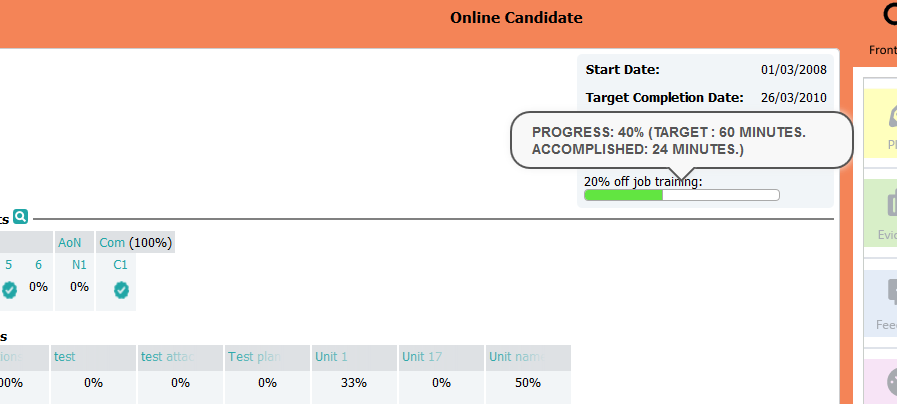
Contact Log progress (subject to course/centre settings): If you have a service level agreement with your training centre, they might choose to show progress on certain types of activities, such as off job training, or on-site visits here (see image below).
 Items for your attention: This is your "To Do" list. Just click on an item.
Profile Image: You can upload a profile image to your account by:
- Clicking on the image icon on your portfolio front page
- Click 'Choose File', and tick the 'use file as your profile image'
- Click 'Update'
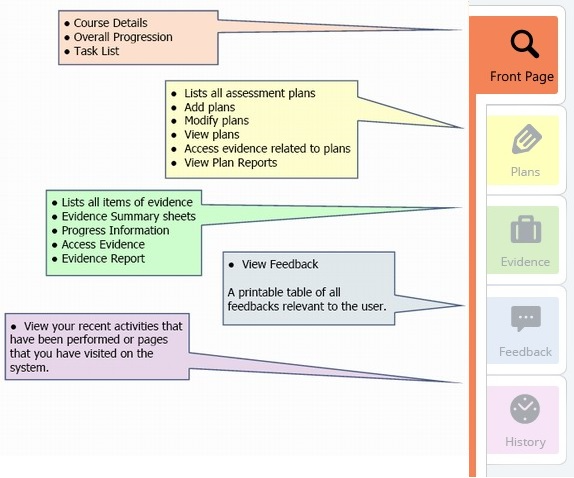
Once in the portfolio—as a candidate or any other user, there are tabs on the right-hand side, just like a paperbased portfolio:
Use these to:
* add, view or modify plans
* add, view or modify evidence
* view feedback and check on progress
Was this article helpful?
That’s Great!
Thank you for your feedback
Sorry! We couldn't be helpful
Thank you for your feedback
Feedback sent
We appreciate your effort and will try to fix the article