Hashtags
When preparing text within Ecordia e.g. plans, evidence, feedback, additional guidance notes etc you can use hashtags to link to other items in the portfolio, or Resources.
To create a hashtag to:
Evidence = #evidence[number] e.g. #evidence2, #evidence42
Plan = #plan[name of a plan in the portfolio or soon to be added, excluding spaces] e.g. #planinduction, #plane-learning, #planunit01
Resource = #resource[number] e.g. #resource1, #resource78
Hyperlinks
When using the text editor feature, such as planning, feedback, messages etc, hyperlinks can be added which can be used to link to other websites.
To insert a hyperlink we recommend using the "Hyperlink Manager" to ensure the link functions correctly:
1. Input the text which it to be a link into the text editor.
2. Highlight the text.
3. Click the Hyperlink Manager tool, or use Ctrl+K on your keyboard.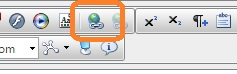
4. The Hyperlink Manager window will open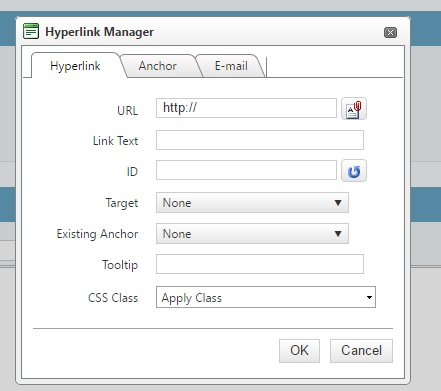
Was this article helpful?
That’s Great!
Thank you for your feedback
Sorry! We couldn't be helpful
Thank you for your feedback
Feedback sent
We appreciate your effort and will try to fix the article