The blue portfolio tab is used for apprenticeship standards. It lets you:
- share selected evidence with your Independent Assessor or End-Point Assessor (IA/EPA), and
- let your centre record your achievements towards the Assessment Gateway and PE Components.
The blue tab may have a different name in your portfolio, depending on how your centre has set it up.
What can the End-Point Assessor see? Only the evidence you've added to the blue tab. They can't see any other part of your portfolio.
Adding evidence to the blue tab
- Click the Evidence tab.
- At the top right of the evidence table, tick Add Evidence to [blue tab name].
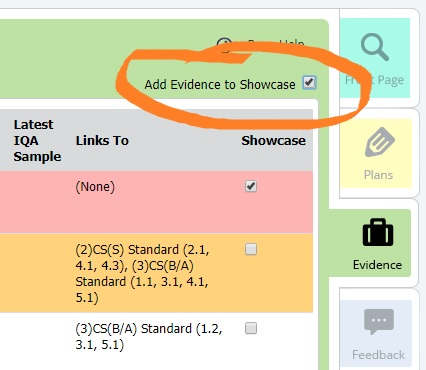
- Tick each piece of evidence you want to share. It will appear in the blue tab straight away.
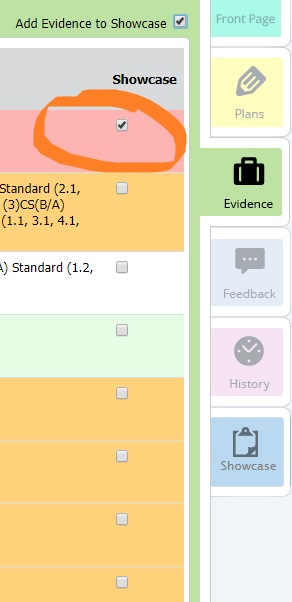
Removing evidence from the blue tab
- Click the Evidence tab.
- At the top right of the evidence table, tick Add Evidence to [blue tab name].
- Untick the evidence you want to remove.
Related articles
Was this article helpful?
That’s Great!
Thank you for your feedback
Sorry! We couldn't be helpful
Thank you for your feedback
Feedback sent
We appreciate your effort and will try to fix the article