The contact log feature can be used to track Guided Learning & Placement Hours:
Step 1: Create a log type for Guided Learning or Placement Hours - see Contact Log Types (Add/Edit)
Step 2: Go to the Portfolio Front page and click on the settings icon next to the Guided Learning or Placement Hours progress bar.
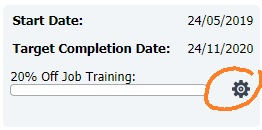
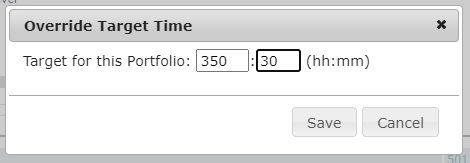
You can then set the required hours and minutes for the candidate if this different from your default setting. Set the hours and mins to 0 if you do not require the progress bar for this portfolio.
Step 3: Create a Contact Log in a Portfolio - see Contact Log (Add/Modify)
Was this article helpful?
That’s Great!
Thank you for your feedback
Sorry! We couldn't be helpful
Thank you for your feedback
Feedback sent
We appreciate your effort and will try to fix the article